Dell PowerSwitch S4148T-ON

The Dell PowerSwitch S4148T-ON is a high-density 1U open networking top-of-rack switch featuring 48 10GBASE-T RJ45 ports, four 100GbE QSFP28 uplinks, and two 40GbE QSFP+ ports. Engineered to connect high-volume copper-cabled server racks to 100GbE spine fabrics, the S4148T-ON provides sub-microsecond latency, advanced L2/L3 routing, and open network operating system choice.
Also written as: PowerSwitch S4148T-ON, Dell S4148T-ON, S4148T 48-Port 10GBASE-T
Specifications
| Brand | Dell |
|---|---|
| Family | PowerSwitch S-Series |
| Form factor | 1U switch |
| Released | Jun 2017 |
| Port configuration | 48x 10GBASE-T RJ45 ports + 4x 100GbE QSFP28 + 2x 40GbE QSFP+ uplink ports |
| Switching capacity | 1.76 Tbps aggregate throughput (1309 Mpps forwarding rate) |
| Operating system | ONIE; supports Dell SmartFabric OS10, Enterprise SONiC, and Cumulus Linux |
| Airflow options | Normal (I/O to PSU) or Reverse (PSU to I/O) airflow |
| Power supply | Dual redundant hot-plug AC or DC power supplies with integrated fans |
Generations
- Previous generation: Dell PowerSwitch S4048T-ON
Compatible parts
Transceivers
 407-BCBI Dell 32Gb Short Wave SFP28 Fibre Channel Optical Transceiver
 407-BCBF Dell 25GbE SFP28 SR Optical Transceiver (850nm, 100m MMF)
 407-BBOG Dell 16Gb Short Wave SFP+ Fibre Channel Optical Transceiver
Rail kits
 770-BCKW Dell ReadyRails II Sliding Rails for 2U PowerEdge Servers (B6)
Works together
How the Dell PowerSwitch S4148T-ON connects to servers, storage and the network: 3 ways, with the parts and products on each path.
iSCSI and NVMe/TCP over Ethernet
Keep the speed the same at all three points: a 25GbE server, a 25GbE switch port and a 25GbE array port. Mixed speeds work but the slowest link sets the pace.
Servers
 Dell PowerEdge C4140 1U rack
 Dell PowerEdge R440 1U rack
 Dell PowerEdge R540 2U rack
 Dell PowerEdge R640 1U rack
 Dell PowerEdge R740 2U rack
 Dell PowerEdge R740xd 2U rack
Adapters for the server
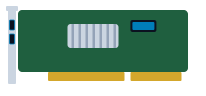 540-BBGN Dell Broadcom 57412 Dual Port 10GbE SFP+ PCIe Adapter
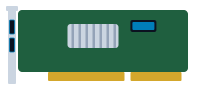 540-BBGO Dell Broadcom 57416 Dual Port 10GBASE-T RJ45 PCIe Adapter
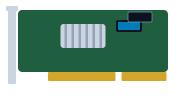 540-BBGP Dell Broadcom 57416 Dual Port 10GBASE-T RJ45 OCP 3.0 Adapter
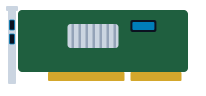 540-BBGY Dell Broadcom 57414 Dual Port 10/25GbE SFP28 PCIe Low Profile Network Adapter
Storage
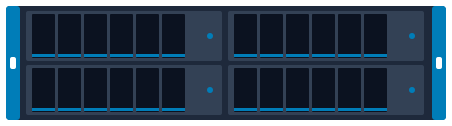 Dell Isilon A2000 4U 4-node chassis
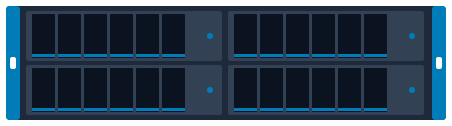 Dell Isilon F800 4U 4-node chassis
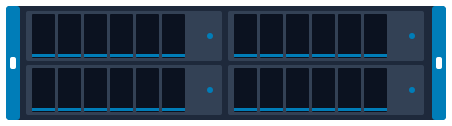 Dell Isilon H400 4U 4-node chassis
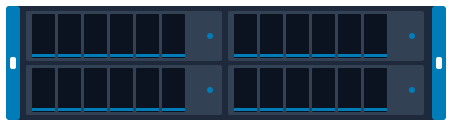 Dell Isilon H500 4U 4-node chassis
 Dell Isilon H600 4U 4-node chassis
 Dell Unity 350F 2U rack
Optics


File storage (NFS and SMB)
Front-end ports face the clients; back-end ports (on scale-out systems) connect the nodes to each other and need their own switch pair.
Servers
- Dell PowerEdge C4140 1U rack
- Dell PowerEdge R440 1U rack
- Dell PowerEdge R540 2U rack
- Dell PowerEdge R640 1U rack
- Dell PowerEdge R740 2U rack
- Dell PowerEdge R740xd 2U rack
Adapters for the server
- 540-BBGN Dell Broadcom 57412 Dual Port 10GbE SFP+ PCIe Adapter
- 540-BBGO Dell Broadcom 57416 Dual Port 10GBASE-T RJ45 PCIe Adapter
- 540-BBGP Dell Broadcom 57416 Dual Port 10GBASE-T RJ45 OCP 3.0 Adapter
- 540-BBGY Dell Broadcom 57414 Dual Port 10/25GbE SFP28 PCIe Low Profile Network Adapter
Storage
 Dell Isilon A200 4U 4-node chassis
- Dell Isilon F800 4U 4-node chassis
- Dell Isilon H400 4U 4-node chassis
- Dell Isilon H500 4U 4-node chassis
- Dell Unity 350F 2U rack
 Dell Unity 450F 2U rack
Optics
Hyperconverged cluster
Plan at least two 25GbE ports per node to two switches; all-NVMe clusters often move to 100GbE.
HCI nodes
 Dell VxRail P Series P570F 2U rack (1 node)
 Dell VxRail P570 2U rack
 Dell VxRail S570 2U rack
 Dell VxRail V570 2U rack
Adapters for the server
- 540-BBGN Dell Broadcom 57412 Dual Port 10GbE SFP+ PCIe Adapter
- 540-BBGO Dell Broadcom 57416 Dual Port 10GBASE-T RJ45 PCIe Adapter
- 540-BBGP Dell Broadcom 57416 Dual Port 10GBASE-T RJ45 OCP 3.0 Adapter
- 540-BBGY Dell Broadcom 57414 Dual Port 10/25GbE SFP28 PCIe Low Profile Network Adapter
Optics
Plan and size it
- Draw this setup in the topology planner mrplanb.com
- Add up rack power and space rack-density.com
- iSCSI explained mrplanb.com
- Virtualization storage Ledger: scored storage platforms mrplanb.com
- Network monitoring tools compared mrplanb.com
- Dell E-Lab Navigator (Dell interoperability) dell.com
Check compatibility with Dell
Before you buy, confirm the exact configuration against the vendor's own lists: firmware levels, operating systems, adapters and optics that Dell has tested with the Dell PowerSwitch S4148T-ON.
- Compatibility Dell E-Lab Navigator (storage and SAN interoperability) (free vendor sign-in)
- Support Dell Support: drivers, manuals and service tag lookup
Equivalent models from other brands
Buying a used PowerSwitch S4148T-ON: what to check
Inspect RJ45 jacks for bent copper pins, verify matched airflow direction across fans and power supplies, test 100GbE QSFP28 uplink recognition, and confirm OS10 license status.
FAQ
What copper cable category is recommended for 10GBASE-T on the S4148T-ON?
Cat6a or Cat7 shielded twisted-pair cabling is recommended to achieve the full 100-meter reach without crosstalk.
Does the S4148T-ON support Virtual Link Trunking (VLT)?
Yes, VLT creates active-active loop-free uplinks between switch pairs without Spanning Tree port blocking.
Buying or selling PowerSwitch S4148T-ON?
New, refurbished or used. Tell us the quantity and condition and we connect you with a vetted reseller in your region, usually within one working day.
Sources
- Dell PowerSwitch S4100 Series Spec Sheet, checked 2026-10-27