Dell PowerEdge R540
The Dell PowerEdge R540 is an enterprise 2U rack server powered by 2 Intel Xeon Scalable 1st Gen (Skylake) and 2nd Gen (Cascade Lake) and 16 memory slots supporting up to 512GB DDR4-2666 / DDR4-2933 RDIMM. Configured with Up to 12x 3.5-inch SAS/SATA drives and Up to 5 PCIe Gen3 slots, the R540 delivers balanced compute and I/O density for enterprise database, hypervisor, and application workloads.
Also written as: PowerEdge R540, Dell R540, R540 2U Server
Specifications
| Brand | Dell |
|---|---|
| Family | PowerEdge R |
| Form factor | 2U rack |
| Released | Sep 2017 |
| End of sale | May 2023 |
| End of support | Jun 2028 |
| Cpu sockets | 2 |
| Cpu platform | Intel Xeon Scalable 1st Gen (Skylake) and 2nd Gen (Cascade Lake), up to 20 cores, 125W TDP |
| Memory slots | 16 |
| Memory type | DDR4-2666 / DDR4-2933 RDIMM |
| Memory max (GB) | 512 |
| Drive bays | Up to 12x 3.5-inch SAS/SATA drives (plus optional 2x rear 3.5-inch drives) |
| Pcie slots | Up to 5 PCIe Gen3 slots |
| Gpu support | None supported |
| Network onboard | 2x 1GbE LOM ports; optional LOM Mezzanine slot; 1x 1GbE iDRAC port |
| Power supply | Dual redundant hot-plug 495W, 750W or 1100W |
Generations
- Previous generation: Dell PowerEdge R530
- Next generation: Dell PowerEdge R550
About the R540
The Dell PowerEdge R540 is an enterprise 2U rack server engineered for computing and virtualization workloads. Powered by 2 Intel Xeon Scalable 1st Gen (Skylake) and 2nd Gen (Cascade Lake) across 16 memory slots supporting up to 512GB DDR4-2666 / DDR4-2933 RDIMM, the R540 balances throughput and memory capacity. In Dell's server catalog, the R540 succeeded the POWEREDGE-R530 and was followed by the POWEREDGE-R550, positioned alongside rival systems including PROLIANT-DL380-GEN10.
Options and compatibility
Processor support on the R540 utilizes 2 LGA3647 (Socket P0) sockets with thermal heatsinks matching CPU power envelopes. System memory slots on the R540 require DDR4-2666 / DDR4-2933 RDIMM modules, and mixing RDIMM with LRDIMM memory is not supported. The R540 chassis utilizes X7K8W (3.5-inch LFF) drive trays across its 3.5-inch storage bays. Networking on the R540 uses Network Daughter Card (NDC), and expansion cards install into Up to 5 PCIe Gen3 slots risers.
How to identify it
Physical identification of the R540 is verified by the 14th-generation silver-gray brushed aluminum honeycomb bezel with the R540 badge on the front chassis ear. The pull-out information tag on the R540 control panel displays the 7-character Dell Service Tag and default login credentials. In iDRAC9, the server identifies as R540 with active firmware, slot mapping, and power telemetry.
Buying used
When evaluating a pre-owned R540, inspect the LGA3647 (Socket P0) CPU socket pins for damage and ensure retention clips are intact. Run Dell ePSA diagnostics across all 16 memory slots of the R540 to verify zero uncorrectable ECC faults under load. Verify that redundant power supplies in the R540 match in wattage and that iDRAC9 Enterprise remote console is enabled. Ensure required R540 drive caddies and bracket accessories are present.
Compatible parts
Bezels
 325-BCHG Dell PowerEdge 2U Standard LCD Front Bezel with Key Lock
 325-BCHJ Dell PowerEdge 2U Security Bezel with Key Lock (Non-LCD)
Memory
 370-AAFD Dell 16GB DDR4-2933 Dual Rank RDIMM 288-pin Memory Module
 370-ADNF Dell 16GB DDR4-2666 Dual Rank Registered ECC RDIMM
Hard drives
 400-AUQT Dell 2TB 7.2K RPM 512n SATA 6Gb/s 3.5in Hot-Plug Hard Drive
 400-AUQW Dell 4TB 7.2K RPM SAS 12Gb/s 512e 3.5in Hot-Plug Hard Drive
 400-BCQV Dell 14TB 7.2K RPM SATA 6Gb/s 512e 3.5in Hot-Plug Hard Drive
 400-BDSB Dell 8TB 7.2K RPM 512e SATA 6Gb/s 3.5in Hot-Plug Hard Drive
Boot devices
 400-BDBR Dell BOSS-S1 M.2 240GB SATA 6Gb/s Enterprise Solid State Drive
 BOSS-S1 Dell Boot Optimized Storage Solution (BOSS-S1) PCIe Card with Dual M.2 SSDs
SSDs
 400-BDRI Dell 240GB SATA Read Intensive 6Gb/s 512e 2.5in Hot-Plug SSD
RAID controllers
 405-AAIS Dell PERC H730P Mini Monolithic 2GB NV Cache RAID Controller
 405-AAIT Dell PERC H330 Mini Monolithic 12Gb/s SAS RAID Controller
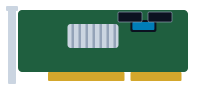 PERC-H730P Dell PERC H730P 12Gb/s SAS 2GB NV Cache Mini Mono / PCIe RAID Controller
HBAs
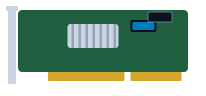 405-AAJW Dell HBA330 12Gb/s SAS Host Bus Adapter (PCIe Adapter)
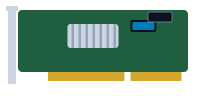 405-AAKM Dell HBA330 Mini Monolithic 12Gb/s SAS Host Bus Adapter
Power supplies
 450-AJPZ Dell 750W Platinum Hot-Plug Redundant Power Supply (Common Slot)
 450-AJQS Dell 495W Platinum Hot-Plug Redundant Power Supply (Common Slot)
TPM modules
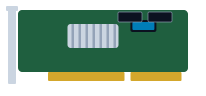 461-AAIG Dell Trusted Platform Module (TPM 2.0) Security Module for 14G/15G
Network adapters
 540-BBOZ Dell Intel X550 Dual Port 10GBASE-T RJ45 PCIe Adapter
OCP adapters
 540-BBPA Dell Intel X550 Dual Port 10GBASE-T RJ45 OCP 3.0 Adapter
Rail kits
 770-BBBR Dell 2U Cable Management Arm (CMA) for ReadyRails II
 770-BCKW Dell ReadyRails II Sliding Rails for 2U PowerEdge Servers (B6)
 770-BCKX Dell ReadyRails Static Rails for 1U/2U PowerEdge Systems
Drive caddies
 X7K8W Dell 3.5-inch Gen14/Gen15/Gen16 Hot-Plug Drive Caddy Tray (LFF)
Works together
How the Dell PowerEdge R540 connects to servers, storage and the network: 4 ways, with the parts and products on each path.
Fibre Channel SAN
Match the speed: 16Gb and 32Gb FC HBAs, switches and array ports work together, and each generation also runs one or two speeds below its own (a 32Gb port runs at 16Gb and 8Gb).
Adapters for the server (check the fit list)
 540-BBUU Dell Emulex LPe31002 Dual Port 16Gb Fibre Channel Host Bus Adapter
 540-BBUV Dell QLogic 2692 Dual Port 16Gb Fibre Channel Host Bus Adapter
 540-BCMS Dell QLogic 2770 Single Port 32Gb Fibre Channel PCIe Adapter
 540-BCMT Dell QLogic 2772 Dual Port 32Gb Fibre Channel PCIe Adapter
Switches
 Lenovo ThinkSystem DB610S 1U rack
 Lenovo ThinkSystem DB630S 2U rack
 Lenovo ThinkSystem DB730S 2U rack
Storage
 Dell PowerVault ME4012 2U rack
 Dell PowerVault ME4024 2U rack
 Dell PowerVault ME4084 5U rack
 Dell Unity XT Unity 300 2U rack
 Dell Unity XT Unity 400 2U rack
 Dell Unity XT 380F 2U rack
Optics
iSCSI and NVMe/TCP over Ethernet
Keep the speed the same at all three points: a 25GbE server, a 25GbE switch port and a 25GbE array port. Mixed speeds work but the slowest link sets the pace.
Adapters for the server (check the fit list)
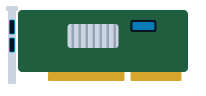 540-BBHG Dell Intel X520/I350 2x10GbE SFP+ + 2x1GbE BASE-T Network Daughter Card (rNDC)
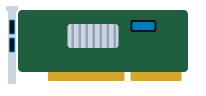 540-BBHH Dell Intel X540/I350 2x10GBASE-T + 2x1GbE BASE-T Network Daughter Card (rNDC)
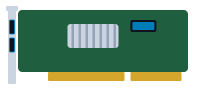 540-BBIU Dell Broadcom 57416/5720 2x10GBASE-T + 2x1GbE Network Daughter Card (rNDC)
 540-BBIV Dell Broadcom 57412/5720 2x10GbE SFP+ + 2x1GbE Network Daughter Card (rNDC)
Direct-attached SAS
12Gb SAS uses Mini-SAS HD (SFF-8644) connectors; older 6Gb gear uses Mini-SAS (SFF-8088). Adapter cables exist, but the link runs at the slower speed.
Adapters for the server (check the fit list)
 405-AANT Dell 12Gbps SAS HBA Dual Port External PCIe Controller
 405-AASU Dell HBA355e External SAS 12Gb/s Host Bus Adapter
Storage
- Dell PowerVault ME4012 2U rack
- Dell PowerVault ME4024 2U rack
- Dell PowerVault ME4084 5U rack
 Dell PowerVault MD1400 2U rack
 Dell PowerVault MD1420 2U rack
 Dell PowerVault MD3400 2U rack
File storage (NFS and SMB)
Front-end ports face the clients; back-end ports (on scale-out systems) connect the nodes to each other and need their own switch pair.
Adapters for the server (check the fit list)
- 540-BBHG Dell Intel X520/I350 2x10GbE SFP+ + 2x1GbE BASE-T Network Daughter Card (rNDC)
- 540-BBHH Dell Intel X540/I350 2x10GBASE-T + 2x1GbE BASE-T Network Daughter Card (rNDC)
- 540-BBIU Dell Broadcom 57416/5720 2x10GBASE-T + 2x1GbE Network Daughter Card (rNDC)
- 540-BBIV Dell Broadcom 57412/5720 2x10GbE SFP+ + 2x1GbE Network Daughter Card (rNDC)
Storage
 Lenovo ThinkSystem DM3000H 2U rack
 Lenovo ThinkSystem DM5100F 2U rack
 Lenovo ThinkSystem DM3010H 2U rack
 Lenovo ThinkSystem DG5000 2U rack
 Lenovo ThinkSystem DM3200F 2U rack
Plan and size it
- Draw this setup in the topology planner mrplanb.com
- Add up rack power and space rack-density.com
- Virtualization storage Ledger: scored storage platforms mrplanb.com
- SAN transport and NVMe over FC for backup mrplanb.com
- Dell E-Lab Navigator (Dell interoperability) dell.com
Equivalent models from other brands
FAQ
What is the maximum drive capacity of the R540?
Up to 14x 3.5-inch SAS/SATA drives (12 front bays and 2 rear drive bays).
What processors work in the R540?
Intel Xeon Scalable 1st and 2nd Gen processors up to 20 cores with TDP up to 125W (e.g. Silver 4210, Gold 5215).
Buying or selling R540?
New, refurbished or used. Tell us the quantity and condition and we connect you with a vetted reseller in your region, usually within one working day.
Sources
- Dell PowerEdge R540 Spec Sheet, checked 2026-10-27