Dell PowerEdge T30

The PowerEdge T30 is a whisper-quiet mini-tower server tailored for home labs and small collaborative teams. Powered by Intel Xeon E3-1200 v5 processors, it offers reliable local data consolidation and storage in an unobtrusive, desktop-friendly form factor with up to six internal drives.
Also written as: PowerEdge T30, Dell T30, T30 Mini Tower
Specifications
| Brand | Dell |
|---|---|
| Family | PowerEdge T |
| Form factor | tower |
| Released | Oct 2016 |
| End of sale | Oct 2019 |
| End of support | Oct 2024 |
| Cpu sockets | 1 |
| Cpu platform | Intel Xeon E3-1225 v5, Core i3-6100, or Pentium G4400 processors |
| Memory slots | 4 |
| Memory type | DDR4 ECC UDIMM up to 2133 MT/s |
| Drive bays | Up to 4x 3.5in and 2x 2.5in internal cabled SATA drives |
| Pcie slots | Up to 4x PCIe/PCI expansion slots |
| Power supply | Single cabled 290W power supply |
Generations
- Previous generation: Dell PowerEdge T20
- Next generation: Dell PowerEdge T40
Works together
How the Dell PowerEdge T30 connects to servers, storage and the network: 4 ways, with the parts and products on each path.
Fibre Channel SAN
Match the speed: 16Gb and 32Gb FC HBAs, switches and array ports work together, and each generation also runs one or two speeds below its own (a 32Gb port runs at 16Gb and 8Gb).
Adapters for the server (check the fit list)
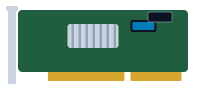 540-BBUU Dell Emulex LPe31002 Dual Port 16Gb Fibre Channel Host Bus Adapter
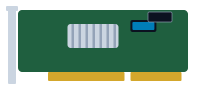 540-BBUV Dell QLogic 2692 Dual Port 16Gb Fibre Channel Host Bus Adapter
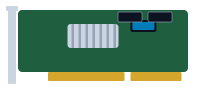 540-BCMS Dell QLogic 2770 Single Port 32Gb Fibre Channel PCIe Adapter
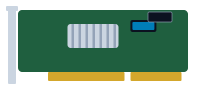 540-BCMT Dell QLogic 2772 Dual Port 32Gb Fibre Channel PCIe Adapter
Switches
 Dell Connectrix ED-DCX6-4B 9U director chassis
 Dell Connectrix ED-DCX6-8B 14U director chassis
 Dell Connectrix MDS-9718 26U director chassis
 Dell Connectrix DS-6620B 1U rack
Storage
 Dell PowerProtect DD Data Domain DD6300 2U appliance
 Dell PowerProtect DD Data Domain DD6800 2U controller + shelves
 Dell PowerProtect DD Data Domain DD9300 2U controller + shelves
 Dell PowerProtect DD Data Domain DD9800 2U controller + shelves
 Dell Unity 300 2U rack
 Dell Unity 300F 2U rack
Optics
iSCSI and NVMe/TCP over Ethernet
Keep the speed the same at all three points: a 25GbE server, a 25GbE switch port and a 25GbE array port. Mixed speeds work but the slowest link sets the pace.
Adapters for the server (check the fit list)
 540-BBGN Dell Broadcom 57412 Dual Port 10GbE SFP+ PCIe Adapter
 540-BBGO Dell Broadcom 57416 Dual Port 10GBASE-T RJ45 PCIe Adapter
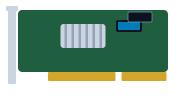 540-BBGP Dell Broadcom 57416 Dual Port 10GBASE-T RJ45 OCP 3.0 Adapter
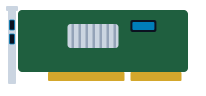 540-BBGY Dell Broadcom 57414 Dual Port 10/25GbE SFP28 PCIe Low Profile Network Adapter
Switches
 Dell PowerSwitch S4048T-ON 1U switch
 Dell PowerSwitch N1524 1U switch
 Dell PowerSwitch N1524P 1U switch
 Dell PowerSwitch N1548 1U switch
Storage
- Dell PowerProtect DD Data Domain DD6300 2U appliance
- Dell PowerProtect DD Data Domain DD6800 2U controller + shelves
- Dell PowerProtect DD Data Domain DD9300 2U controller + shelves
- Dell PowerProtect DD Data Domain DD9800 2U controller + shelves
- Dell Unity 300 2U rack
- Dell Unity 300F 2U rack
Optics
Direct-attached SAS
12Gb SAS uses Mini-SAS HD (SFF-8644) connectors; older 6Gb gear uses Mini-SAS (SFF-8088). Adapter cables exist, but the link runs at the slower speed.
Adapters for the server (check the fit list)
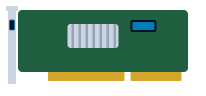 405-AANT Dell 12Gbps SAS HBA Dual Port External PCIe Controller
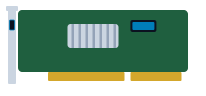 405-AASU Dell HBA355e External SAS 12Gb/s Host Bus Adapter
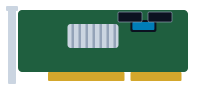 HBA465E Dell HBA465e External Host Bus Adapter
Storage
 Dell PowerEdge MX5016s blade
 Dell PowerVault MD1400 2U rack
 Dell PowerVault MD1420 2U rack
 Dell PowerVault MD3400 2U rack
 Dell PowerVault MD3420 2U rack
 Dell PowerVault ME4012 2U rack
File storage (NFS and SMB)
Front-end ports face the clients; back-end ports (on scale-out systems) connect the nodes to each other and need their own switch pair.
Adapters for the server (check the fit list)
- 540-BBGN Dell Broadcom 57412 Dual Port 10GbE SFP+ PCIe Adapter
- 540-BBGO Dell Broadcom 57416 Dual Port 10GBASE-T RJ45 PCIe Adapter
- 540-BBGP Dell Broadcom 57416 Dual Port 10GBASE-T RJ45 OCP 3.0 Adapter
- 540-BBGY Dell Broadcom 57414 Dual Port 10/25GbE SFP28 PCIe Low Profile Network Adapter
Switches
- Dell PowerSwitch S4048T-ON 1U switch
- Dell PowerSwitch N1524 1U switch
- Dell PowerSwitch N1524P 1U switch
- Dell PowerSwitch N1548 1U switch
Storage
- Dell Unity 300 2U rack
- Dell Unity 300F 2U rack
 Dell Unity 400 2U rack
 Dell Unity 400F 2U rack
 Dell Unity 500 2U rack
 Dell Unity 500F 2U rack
Optics
Plan and size it
- Draw this setup in the topology planner mrplanb.com
- Add up rack power and space rack-density.com
- Virtualization storage Ledger: scored storage platforms mrplanb.com
- SAN transport and NVMe over FC for backup mrplanb.com
- Dell E-Lab Navigator (Dell interoperability) dell.com
Check compatibility with Dell
Before you buy, confirm the exact configuration against the vendor's own lists: firmware levels, operating systems, adapters and optics that Dell has tested with the Dell PowerEdge T30.
- Compatibility Dell E-Lab Navigator (storage and SAN interoperability) (free vendor sign-in)
- Support Dell Support: drivers, manuals and service tag lookup
Equivalent models from other brands
FAQ
What is the maximum drive count in a PowerEdge T30?
The T30 chassis accommodates up to four 3.5-inch SATA hard drives and two optional 2.5-inch drives using internal drive expansion brackets.
Can standard non-ECC desktop RAM be used in the PowerEdge T30?
While Intel Core i3 and Pentium configurations can function with non-ECC UDIMMs, Intel Xeon E3 configurations require DDR4 ECC Unbuffered memory for reliable data integrity.
Buying or selling T30?
New, refurbished or used. Tell us the quantity and condition and we connect you with a vetted reseller in your region, usually within one working day.
Sources
- Dell PowerEdge T30 Support Overview, checked 2026-10-27
- Dell PowerEdge T30 Technical Documentation, checked 2026-10-27