Fujitsu PRIMERGY TX1320 M5

The Fujitsu PRIMERGY TX1320 M5 is a compact single socket tower server for small offices, branch sites and retail premises. It takes Intel Xeon E-2300 processors or a Pentium option and up to 128 GB of DDR4 memory at 3200 MT/s. The data sheet lists up to eight 2.5 inch drives, four of them PCIe SSDs, four PCIe slots, TPM 2.0 and 500 W redundant power supplies. It follows the TX1320 M4.
Also written as: TX1320 M5, PRIMERGY TX1320 M5
Specifications
| Brand | Fujitsu |
|---|---|
| Family | PRIMERGY TX |
| Form factor | Tower |
| Cpu sockets | 1 |
| Cpu platform | Intel Xeon E-2300 family, Pentium option |
| Memory type | DDR4, 3200 MT/s |
| Memory max (GB) | 128 |
| Drive bays | up to eight 2.5-inch drives, including up to four PCIe SSDs |
| Pcie slots | 4 expansion slots (PCIe 4.0 and 3.0) |
| Power supply | 500W redundant power supplies, 96% efficiency |
| Management | iRMC S6 |
Generations
- Previous generation: Fujitsu PRIMERGY TX1320 M4
Works together
How the Fujitsu PRIMERGY TX1320 M5 connects to servers, storage and the network: 4 ways, with the parts and products on each path.
Fibre Channel SAN
Match the speed: 16Gb and 32Gb FC HBAs, switches and array ports work together, and each generation also runs one or two speeds below its own (a 32Gb port runs at 16Gb and 8Gb).
Switches




Storage
 Fujitsu ETERNUS DX60 S5 2U rack
 Fujitsu ETERNUS HB1100 2U rack
 Fujitsu ETERNUS HB2100 2U rack
 Fujitsu ETERNUS HB2200 2U rack
 Fujitsu ETERNUS DX60 S4 2U rack
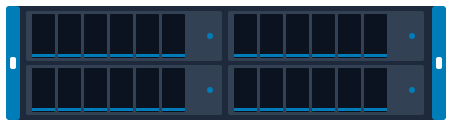 Dell PowerMax 2500 4U multi-node rack
Optics
 57-1000262-01 Brocade 16G FC SFP+ ELWL 25 km
 57-1000333-01 Brocade 32G FC SFP+ SWL
 57-1000487-01 Brocade 16G FC SFP+ SWL
iSCSI and NVMe/TCP over Ethernet
Keep the speed the same at all three points: a 25GbE server, a 25GbE switch port and a 25GbE array port. Mixed speeds work but the slowest link sets the pace.
Switches
 Arista 7020R 7020TR-48 1U fixed switch
 Arista 7050X 7050CX3-32S 1U fixed switch
 Arista 7050X 7050SX3-48YC8 1U fixed switch
 Arista 7050X 7050TX3-48C8 1U fixed switch
Storage
- Dell PowerMax 2500 4U multi-node rack
 Dell PowerMax 8500 system bay multi-enclosure
 Dell PowerProtect DD6400 2U appliance
 Dell PowerProtect DD6900 2U appliance + shelves
 Dell PowerProtect DD9400 2U appliance + shelves
 Dell PowerProtect DD9410 2U appliance + shelves
Optics
 QSFP-100G-CWDM4-AR Arista 100GBASE-CWDM4 QSFP28 Optical Transceiver Module
 QSFP-100G-LR4-AR Arista 100GBASE-LR4 QSFP28 Optical Transceiver Module
 QSFP-100G-SR4 Arista 100GBASE-SR4 QSFP28 Optical Transceiver
Direct-attached SAS
12Gb SAS uses Mini-SAS HD (SFF-8644) connectors; older 6Gb gear uses Mini-SAS (SFF-8088). Adapter cables exist, but the link runs at the slower speed.
Storage
 Dell PowerEdge MX5016s blade
 Dell PowerStore NVMe Expansion Enclosure (ENS24) 2U rack
 Dell PowerVault ME5012 2U rack
 Dell PowerVault ME5024 2U rack
 Dell PowerVault ME5084 5U rack
 HPE MSA 2060 2U rack
File storage (NFS and SMB)
Front-end ports face the clients; back-end ports (on scale-out systems) connect the nodes to each other and need their own switch pair.
Switches
- Arista 7020R 7020TR-48 1U fixed switch
- Arista 7050X 7050CX3-32S 1U fixed switch
- Arista 7050X 7050SX3-48YC8 1U fixed switch
- Arista 7050X 7050TX3-48C8 1U fixed switch
Storage
 Fujitsu ETERNUS DX100 S4 2U rack
 Dell PowerScale A300 4U
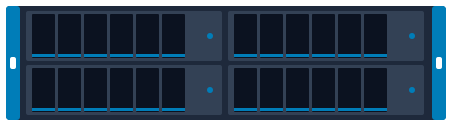 Dell PowerScale A3000 4U 4-node chassis
 Dell PowerScale F200 1U rack
 Dell PowerScale F210 1U node
 Dell PowerScale F600 1U rack
Optics
- QSFP-100G-CWDM4-AR Arista 100GBASE-CWDM4 QSFP28 Optical Transceiver Module
- QSFP-100G-LR4-AR Arista 100GBASE-LR4 QSFP28 Optical Transceiver Module
- QSFP-100G-SR4 Arista 100GBASE-SR4 QSFP28 Optical Transceiver
Plan and size it
- Draw this setup in the topology planner mrplanb.com
- Add up rack power and space rack-density.com
- Virtualization storage Ledger: scored storage platforms mrplanb.com
- SAN transport and NVMe over FC for backup mrplanb.com
Check compatibility with Fujitsu
Before you buy, confirm the exact configuration against the vendor's own lists: firmware levels, operating systems, adapters and optics that Fujitsu has tested with the Fujitsu PRIMERGY TX1320 M5.
- Specifications Fujitsu PRIMERGY and ETERNUS product documentation
- Support Fujitsu Support
Buying a used TX1320 M5: what to check
Check which drive cage is fitted (2.5 inch or 3.5 inch) and whether a RAID controller is installed, because SAS drives need a separate controller according to the data sheet. Confirm the power supplies are the redundant pair if the listing says redundant, and check the iRMC licence state.
FAQ
Which processors does the TX1320 M5 support?
Intel Xeon E-2300 family processors, plus a Pentium processor option, per the Fujitsu data sheet.
How much memory can the TX1320 M5 hold?
Up to 128 GB of DDR4 at 3200 MT/s.
Buying or selling TX1320 M5?
New, refurbished or used. Tell us the quantity and condition and we connect you with a vetted reseller in your region, usually within one working day.
Sources
- Data Sheet PRIMERGY TX1320 M5 Tower Server, checked 2026-10-28