UCSC-PCIE-E14102: Cisco Emulex OCe14102-FX dual-port 10 GbE FCoE CNA

Also listed as: UCSC-PCIE-E14102= · made by Broadcom
Cisco UCSC-PCIE-E14102 is listed as Cisco Emulex OCe14102-FX dual-port 10 GbE FCoE CNA. It is a network adapter that the vendor documents for Cisco UCS C460 M4 show as an orderable option. Spares are ordered as UCSC-PCIE-E14102=. Check the exact model and generation before buying, because option lists differ between product generations.
Specifications
| Part number | UCSC-PCIE-E14102 |
|---|---|
| Brand | Cisco |
| Made by | Broadcom |
| Type | Network adapters |
| Other numbers | UCSC-PCIE-E14102= |
| Ports | dual-port |
About the UCSC-PCIE-E14102
Cisco Emulex OCe14102-FX dual-port 10 GbE FCoE CNA is sold by Cisco under product ID UCSC-PCIE-E14102; the same item ordered as a spare carries the suffix = (UCSC-PCIE-E14102=). It is a network adapter in the Cisco option range and appears in the ordering or configuration tables of the vendor documents cited in the sources. Key figures taken from the listing: ports dual-port. The product ID is the number brokers and buyers search for, so match it exactly rather than by capacity or description alone.
Compatibility
The Cisco documents cited in the sources list UCSC-PCIE-E14102 as an option for Cisco UCS C460 M4. That listing is the only compatibility claim recorded here: the part is not assumed to fit other generations or other product lines of the same brand. Firmware, software, slot, backplane and controller requirements are set out in the vendor documentation for the specific product, and the vendor's compatibility tool should be checked before ordering a second-hand unit.
Buying used
Check the product ID on the label, the port count and speed, and that the bracket suits the chassis. Optical ports need compatible transceivers or cables, which are usually sold separately. Ask the seller for photos of the part number label, confirm the return terms, and test the part in a running system before accepting it. Prices vary with condition, so compare several listings for the exact product ID.
Fits these models
Works together
How the Cisco UCSC-PCIE-E14102 connects to servers, storage and the network: 3 ways, with the hardware on each path.
iSCSI and NVMe/TCP over Ethernet
Keep the speed the same at all three points: a 25GbE server, a 25GbE switch port and a 25GbE array port. Mixed speeds work but the slowest link sets the pace.
Switches
 Cisco Nexus 31108PC-V 1U fixed switch
 Cisco Nexus 34180YC 1U fixed switch
 Cisco Nexus 93108TC-FX3P 1U fixed switch
 Cisco Nexus 93180YC-FX3 1U
Storage
 Dell PowerProtect DD6400 2U appliance
 Dell PowerProtect DD6900 2U appliance + shelves
 Dell PowerProtect DD9400 2U appliance + shelves
 Dell PowerProtect DD9410 2U appliance + shelves
 Dell PowerProtect DD9900 2U appliance + shelves
 Dell PowerProtect DD9910 2U appliance + shelves
Optics
 SFP-10G-LR Cisco 10GBASE-LR SFP+ Optical Transceiver
 SFP-10G-SR Cisco 10GBASE-SR SFP+ Optical Transceiver
 SFP-10G-ER Cisco 10GBASE-ER SFP Module
File storage (NFS and SMB)
Front-end ports face the clients; back-end ports (on scale-out systems) connect the nodes to each other and need their own switch pair.
Switches
- Cisco Nexus 31108PC-V 1U fixed switch
- Cisco Nexus 34180YC 1U fixed switch
- Cisco Nexus 93108TC-FX3P 1U fixed switch
- Cisco Nexus 93180YC-FX3 1U
Storage
 Dell PowerScale A300 4U
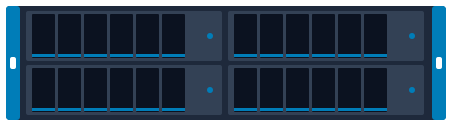 Dell PowerScale A3000 4U 4-node chassis
 Dell PowerScale F200 1U rack
 Dell PowerScale F600 1U rack
 Dell PowerScale F900 2U rack
 Dell PowerScale H700 4U
Optics
- SFP-10G-LR Cisco 10GBASE-LR SFP+ Optical Transceiver
- SFP-10G-SR Cisco 10GBASE-SR SFP+ Optical Transceiver
- SFP-10G-ER Cisco 10GBASE-ER SFP Module
Hyperconverged cluster
Plan at least two 25GbE ports per node to two switches; all-NVMe clusters often move to 100GbE.
HCI nodes
 Cisco HyperFlex HX220c Edge 1U rack
 Cisco HyperFlex HX220c M5 1U rack
 Cisco HyperFlex HX220c M6 1U rack
 Cisco HyperFlex HX225c M6 1U rack
Switches
- Cisco Nexus 31108PC-V 1U fixed switch
- Cisco Nexus 34180YC 1U fixed switch
- Cisco Nexus 93108TC-FX3P 1U fixed switch
- Cisco Nexus 93180YC-FX3 1U
Optics
- SFP-10G-LR Cisco 10GBASE-LR SFP+ Optical Transceiver
- SFP-10G-SR Cisco 10GBASE-SR SFP+ Optical Transceiver
- SFP-10G-ER Cisco 10GBASE-ER SFP Module
Plan and size it
- Draw this setup in the topology planner mrplanb.com
- Add up rack power and space rack-density.com
- iSCSI explained mrplanb.com
- Virtualization storage Ledger: scored storage platforms mrplanb.com
- Network monitoring tools compared mrplanb.com
Check compatibility with Cisco
Before you buy, confirm the exact configuration against the vendor's own lists: firmware levels, operating systems, adapters and optics that Cisco has tested with the Cisco UCSC-PCIE-E14102.
- Compatibility Cisco UCS Hardware Compatibility List
- Compatibility Cisco Optics-to-Device Compatibility Matrix
- Support Cisco Support and Downloads
Buying or selling UCSC-PCIE-E14102?
New, refurbished or used. Tell us the quantity and condition and we connect you with a vetted reseller in your region, usually within one working day.
Sources
- Cisco UCS C460 M4 Rack Server Spec Sheet, checked 2026-10-28