JNP-QSFP-100G-CWDM4: Juniper 100GBASE-CWDM4 QSFP28 Optical Transceiver Module

Also listed as: 740-061405, FTLC1151RDNL-J1
The Juniper JNP-QSFP-100G-CWDM4 is a 100GBASE-CWDM4 QSFP28 optical transceiver supporting 100 Gigabit Ethernet up to 2 kilometers over duplex single mode fibre.
Specifications
| Part number | JNP-QSFP-100G-CWDM4 |
|---|---|
| Brand | Juniper |
| Type | Transceivers |
| Other numbers | 740-061405, FTLC1151RDNL-J1 |
| Status | current |
| Form factor | QSFP28 |
| Speed | 100GbE |
| Wavelength nm | 1,310 |
| Connector | LC duplex |
| Cable type | Single Mode Fibre |
| Max distance m | 2,000 |
About the JNP-QSFP-100G-CWDM4
The Juniper JNP-QSFP-100G-CWDM4 optical transceiver is designed for cost-effective intermediate distance 100 Gigabit Ethernet connectivity in large hyperscale and enterprise data centers. Operating across four CWDM optical wavelength lanes over duplex single mode optical fibre, it provides reliable links up to 2 kilometers between data center halls.
Compatibility
Compatible with Juniper QFX5120, QFX5200, QFX5210, QFX5220 switches, and MX Series routing platforms. It operates with host Forward Error Correction (RS-FEC) enabled on QSFP28 interfaces to ensure signal integrity across the full 2 kilometer optical reach in data center fabrics.
How to identify a genuine unit
Packaged in an industry standard QSFP28 metallic case featuring a green pull tab release mechanism denoting CWDM4 optical technology. The factory label states part number JNP-QSFP-100G-CWDM4, manufacturing assembly code 740-061405, and serial tracking number.
Buying used
Inspect the duplex optical port with a fiber scope to ensure no dust or surface scratching on the lenses. Plug the optic into a Junos OS switch port to verify that the transceiver authenticates cleanly and reports balanced optical power metrics across all four wavelength channels.
Fits these models
- Juniper MX Series MX10003
- Juniper MX Series MX10008
- Juniper MX Series MX10016
- Juniper MX Series MX104
- Juniper MX Series MX204
- Juniper MX Series MX240
- Juniper MX Series MX304
- Juniper MX Series MX480
- Juniper MX Series MX960
- Juniper QFX Series QFX10002-36Q
- Juniper QFX Series QFX10002-60C
- Juniper QFX Series QFX10002-72Q
- Juniper QFX Series QFX10008
- Juniper QFX Series QFX10016
- Juniper QFX Series QFX5120-32C
- Juniper QFX Series QFX5120-48T
- Juniper QFX Series QFX5120-48Y
- Juniper QFX Series QFX5130-32CD
- Juniper QFX Series QFX5200-32C
- Juniper QFX Series QFX5200-64Q
- Juniper QFX Series QFX5210-64C
- Juniper QFX Series QFX5220-128C
- Juniper QFX Series QFX5220-32CD
- Juniper QFX Series QFX5700
Works together
How the Juniper JNP-QSFP-100G-CWDM4 connects to servers, storage and the network: 3 ways, with the hardware on each path.
iSCSI and NVMe/TCP over Ethernet
Keep the speed the same at all three points: a 25GbE server, a 25GbE switch port and a 25GbE array port. Mixed speeds work but the slowest link sets the pace.
Adapters for the server
 BCM957504A5041CC Broadcom NetXtreme-E BCM57504 Quad-Port 100GbE QSFP56 PCIe 4.0 Ethernet Network Adapter
 540-BDBX Dell NVIDIA Mellanox ConnectX-6 Dx Dual Port 100GbE QSFP56 PCIe Adapter
 540-BDCF Dell Intel E810-CQDA2 Dual Port 100GbE QSFP28 PCIe Gen4 Adapter
 540-BDCP Dell Broadcom 57508 Dual Port 100GbE QSFP56 PCIe Gen4 Adapter
Switches
 Juniper QFX Series QFX10002-36Q 2U fixed switch
 Juniper QFX Series QFX10002-60C 2U fixed switch
 Juniper QFX Series QFX10002-72Q 2U fixed switch
 Juniper QFX Series QFX10008 modular chassis
Storage
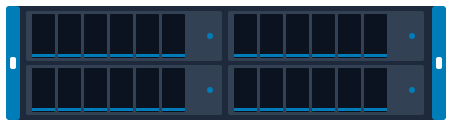 Dell PowerMax 2500 4U multi-node rack
 Dell PowerMax 8500 system bay multi-enclosure
 Dell PowerProtect DD9900 2U appliance + shelves
 Dell PowerProtect DD9910 2U appliance + shelves
 Dell PowerStore 1200T 2U rack
 Dell PowerStore 3200T 2U rack
File storage (NFS and SMB)
Front-end ports face the clients; back-end ports (on scale-out systems) connect the nodes to each other and need their own switch pair.
Adapters for the server
- BCM957504A5041CC Broadcom NetXtreme-E BCM57504 Quad-Port 100GbE QSFP56 PCIe 4.0 Ethernet Network Adapter
- 540-BDBX Dell NVIDIA Mellanox ConnectX-6 Dx Dual Port 100GbE QSFP56 PCIe Adapter
- 540-BDCF Dell Intel E810-CQDA2 Dual Port 100GbE QSFP28 PCIe Gen4 Adapter
- 540-BDCP Dell Broadcom 57508 Dual Port 100GbE QSFP56 PCIe Gen4 Adapter
Switches
- Juniper QFX Series QFX10002-36Q 2U fixed switch
- Juniper QFX Series QFX10002-60C 2U fixed switch
- Juniper QFX Series QFX10002-72Q 2U fixed switch
- Juniper QFX Series QFX10008 modular chassis
Storage
 Dell PowerScale F210 1U node
 Dell PowerScale F600 1U rack
 Dell PowerScale F710 1U node
 Dell PowerScale F900 2U rack
 Dell PowerScale H700 4U
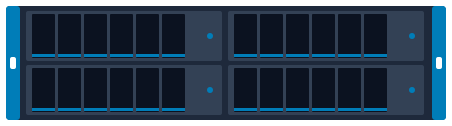 Dell PowerScale H7000 4U 4-node chassis
Hyperconverged cluster
Plan at least two 25GbE ports per node to two switches; all-NVMe clusters often move to 100GbE.
HCI nodes
 Dell VxRail E660N 1U rack
 Dell VxRail P670F 2U rack
 Dell VxRail P670N 2U rack
 HPE SimpliVity 325 Gen10 Plus v2 1U rack
Adapters for the server
- BCM957504A5041CC Broadcom NetXtreme-E BCM57504 Quad-Port 100GbE QSFP56 PCIe 4.0 Ethernet Network Adapter
- 540-BDBX Dell NVIDIA Mellanox ConnectX-6 Dx Dual Port 100GbE QSFP56 PCIe Adapter
- 540-BDCF Dell Intel E810-CQDA2 Dual Port 100GbE QSFP28 PCIe Gen4 Adapter
- 540-BDCP Dell Broadcom 57508 Dual Port 100GbE QSFP56 PCIe Gen4 Adapter
Switches
- Juniper QFX Series QFX10002-36Q 2U fixed switch
- Juniper QFX Series QFX10002-60C 2U fixed switch
- Juniper QFX Series QFX10002-72Q 2U fixed switch
- Juniper QFX Series QFX10008 modular chassis
Plan and size it
- Draw this setup in the topology planner mrplanb.com
- Add up rack power and space rack-density.com
- iSCSI explained mrplanb.com
- Virtualization storage Ledger: scored storage platforms mrplanb.com
- Network monitoring tools compared mrplanb.com
Check compatibility with Juniper
Before you buy, confirm the exact configuration against the vendor's own lists: firmware levels, operating systems, adapters and optics that Juniper has tested with the Juniper JNP-QSFP-100G-CWDM4.
- Compatibility Juniper Hardware Compatibility Tool (optics and modules)
- Specifications Juniper TechLibrary
- Support Juniper Support
FAQ
What is the maximum reach of the JNP-QSFP-100G-CWDM4 optic?
It supports links up to 2 kilometers over standard single mode fibre with host RS-FEC enabled.
What optical wavelengths are used in CWDM4?
It uses four CWDM wavelengths at 1271, 1291, 1311, and 1331 nanometers.
Buying or selling JNP-QSFP-100G-CWDM4?
New, refurbished or used. Tell us the quantity and condition and we connect you with a vetted reseller in your region, usually within one working day.
Sources
- Juniper Hardware Compatibility Tool JNP-QSFP-100G-CWDM4, checked 2026-10-27